how it works · 1 min 30 s
Connect, correlate, grade and act.
Ninety seconds on how EtherSight turns the tools you already run into one graded view of your estate — then the same story in writing, beside the real console, for anyone who would rather read it.
watch · 1 min 30 s
Watch it end to end.
01connect
Start by connecting what you have.
Intune, Entra ID, Defender, Meraki, UniFi, Proxmox and eighteen more connect through their own APIs — read-only, no agent on the endpoint. For the systems that have no cloud API at all — the firewall management plane on its own VLAN, the virtualisation host that expects local credentials — a small gateway runs inside your network. It makes outbound connections only: no inbound ports, and nothing for your firewall team to argue about.
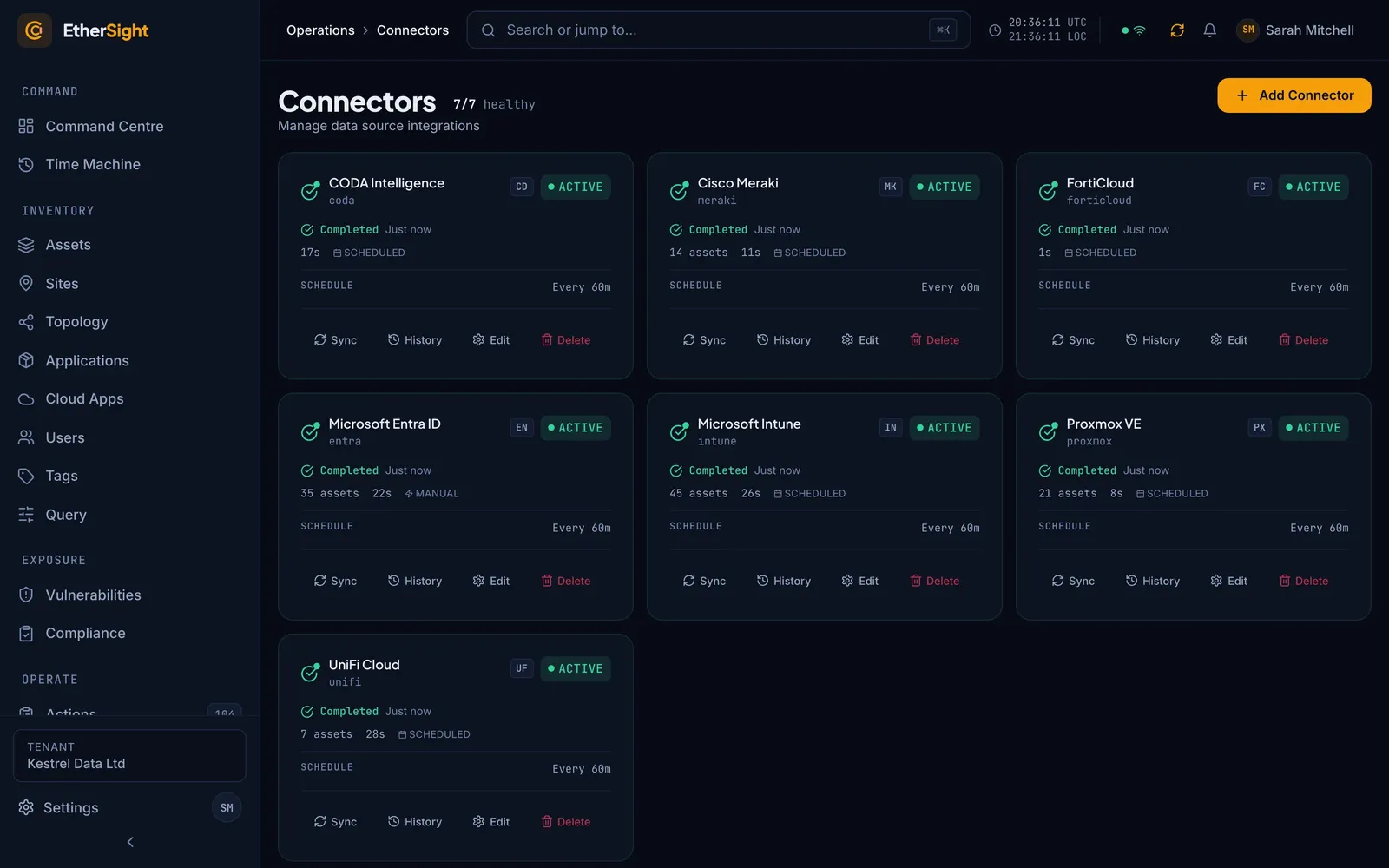
The connectors page: seven integrations, each a card with its sync status, last run, asset count and schedule.
02correlate
Every source feeds one inventory.
Devices are matched on hostname, then serial number, then MAC address, then IP, then Entra ID — in that order, because each step is more reliable than the next. So one laptop is one asset, however many tools report it. Duplicates collapse instead of accumulating, which is the difference between an inventory and a spreadsheet of exports.
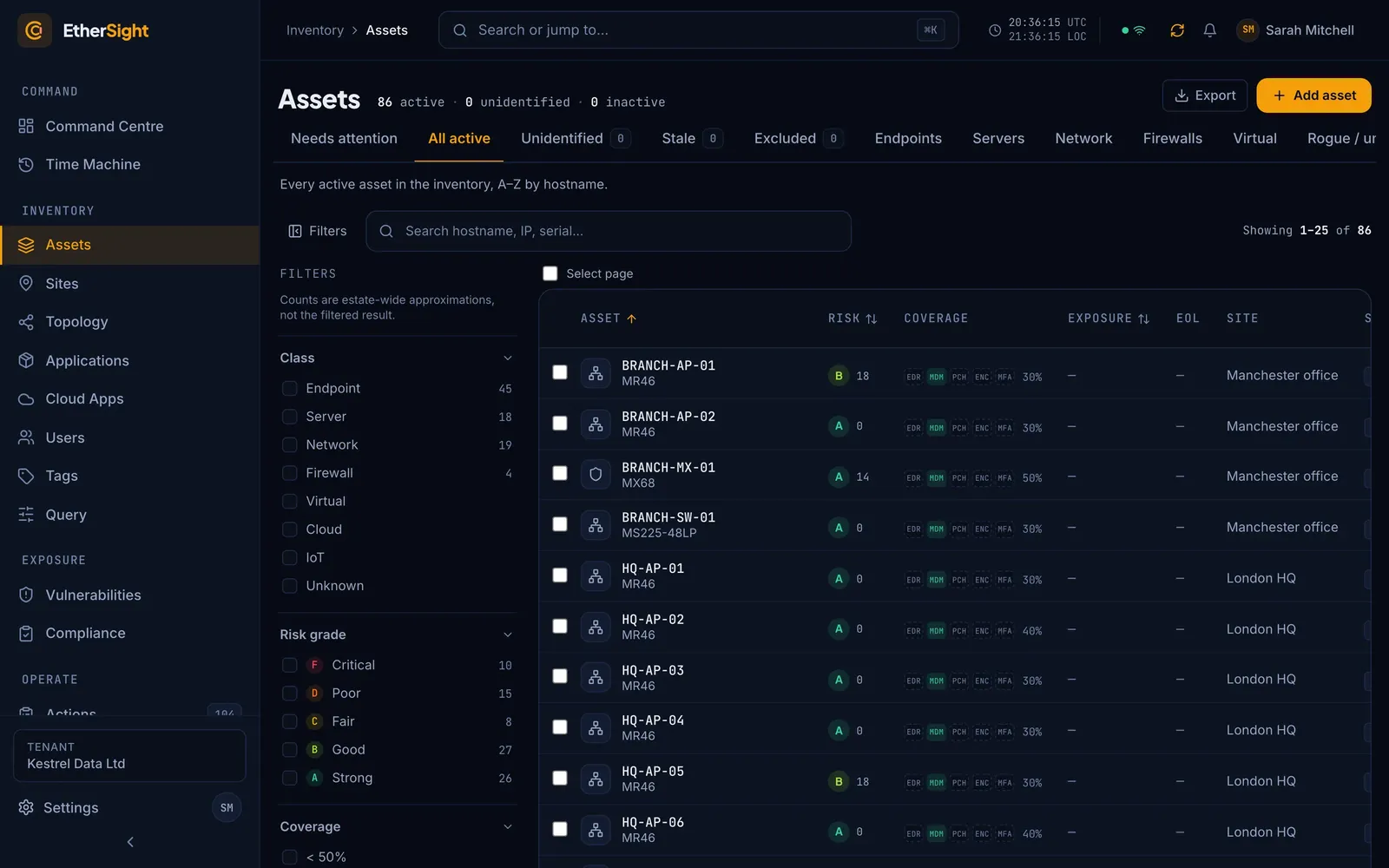
The asset inventory: 86 active assets, one row per device with its grade, coverage and site, and class and risk filters down the left.
03grade
Each asset is graded A to F.
Thirty-one built-in rules score every asset against your controls — EDR, patching, encryption, backup and MFA — weighted by what kind of device it is. A switch is not marked down for lacking EDR, because EDR was never going to run on it. The weakest rise to the top. That is the whole point of a grade.
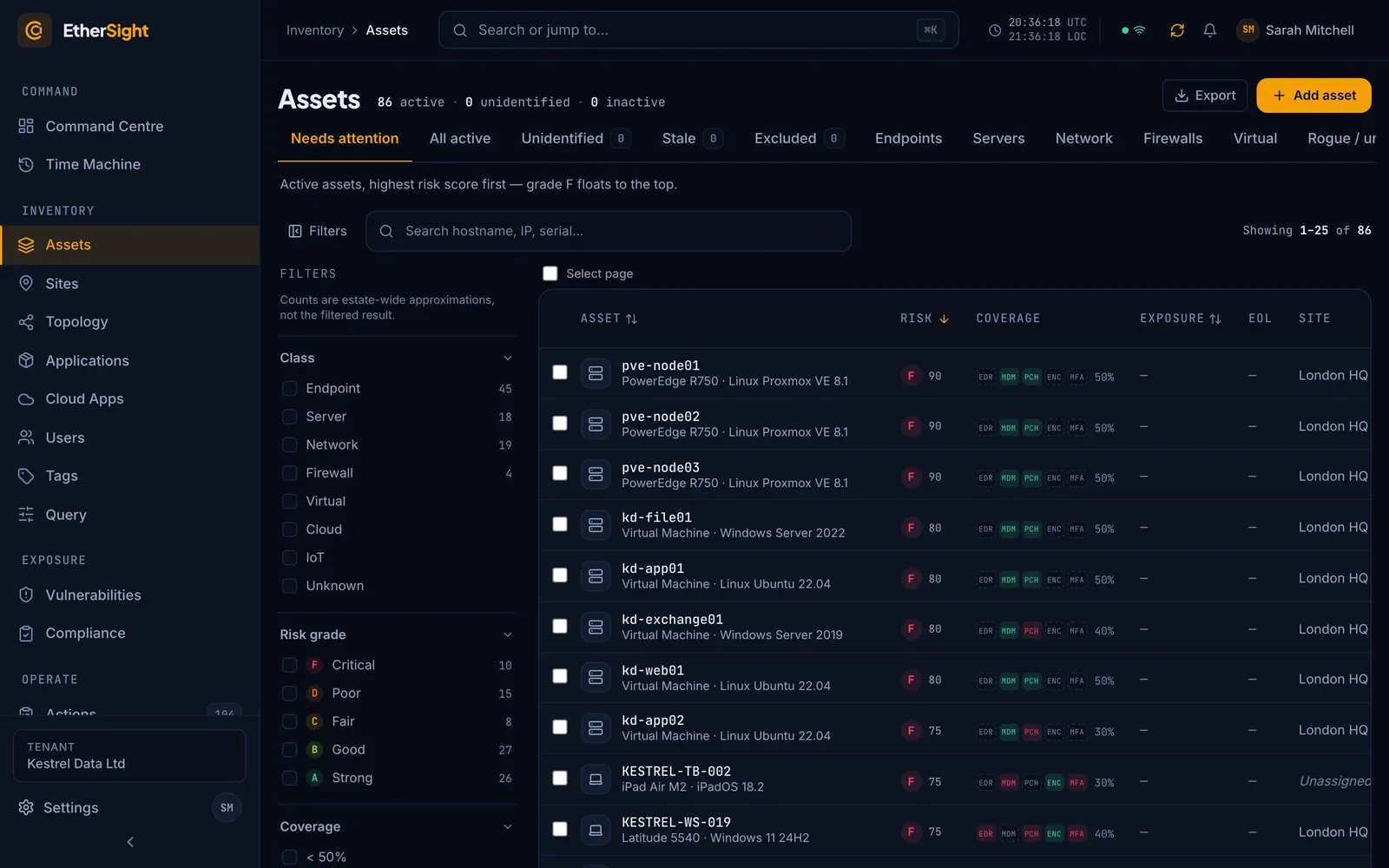
The asset list on its Needs attention tab, sorted by risk score with the grade-F servers at the top.
04explain
Open one and see why it earned it.
A grade you cannot interrogate is just an assertion. Open an asset and every control states whether it applies and why, what evidence backs it, which tool reported it, and when it was observed rather than merely collected. Not collected is shown as not collected — never as a failure. An unknown you can see is worth more than a green tick you cannot check.
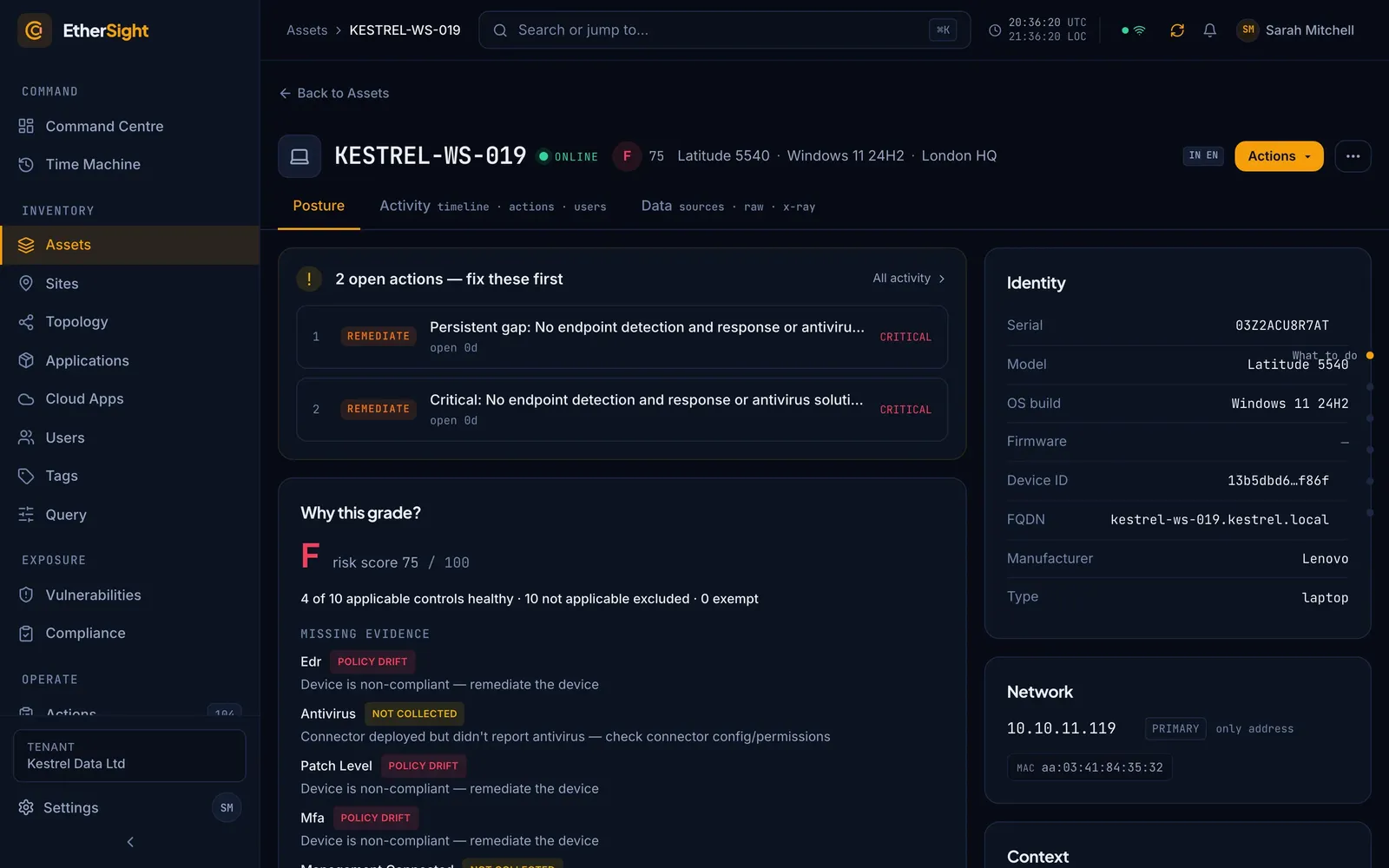
A device page for KESTREL-WS-019, grade F: two open actions, then "Why this grade?" listing each control with its evidence — EDR marked policy drift, antivirus marked not collected.
05command centre
The command centre grades the whole estate.
One view for the estate rather than the device: the grade distribution, how it is moving week on week, and the fixes ranked by how much they would lift it. The topology view draws your network site by site, coloured by risk, so blast radius is something you can point at in a meeting.
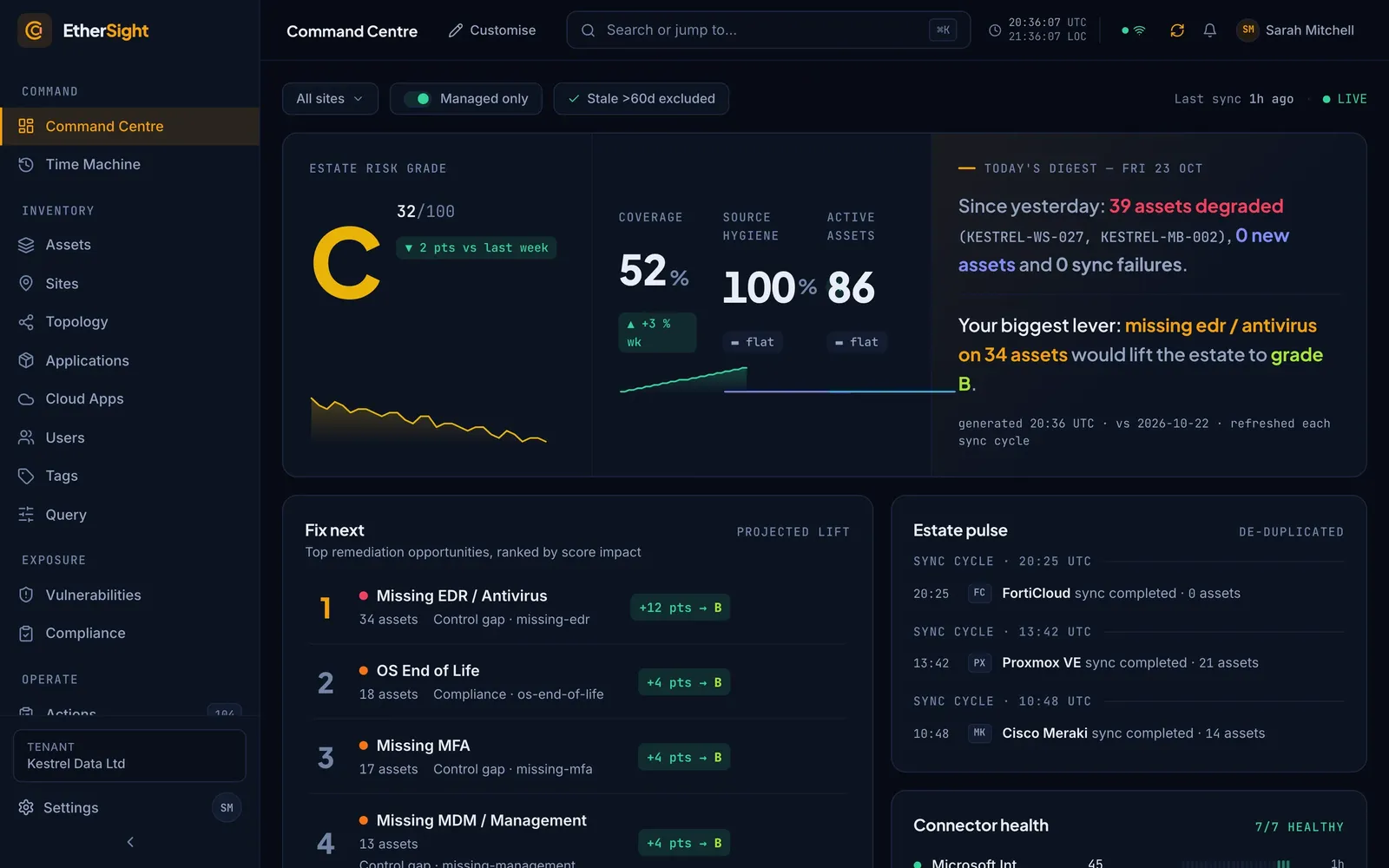
The command centre: the estate at grade C, 32 of 100, with coverage, source hygiene and active-asset counts, a digest of what changed since yesterday, and the Fix-next list.
06act
Every gap becomes an action.
With a scope, an owner and a deadline — and a playbook for that control on that platform, with a deep link into the console that actually fixes it. Work it here, or escalate to ServiceNow in one click. When the next sync shows the control healthy again, the action closes itself and says so: fixed by you, verified by EtherSight. Related fixes group into one campaign, because one update across forty hosts is one piece of work, not forty.
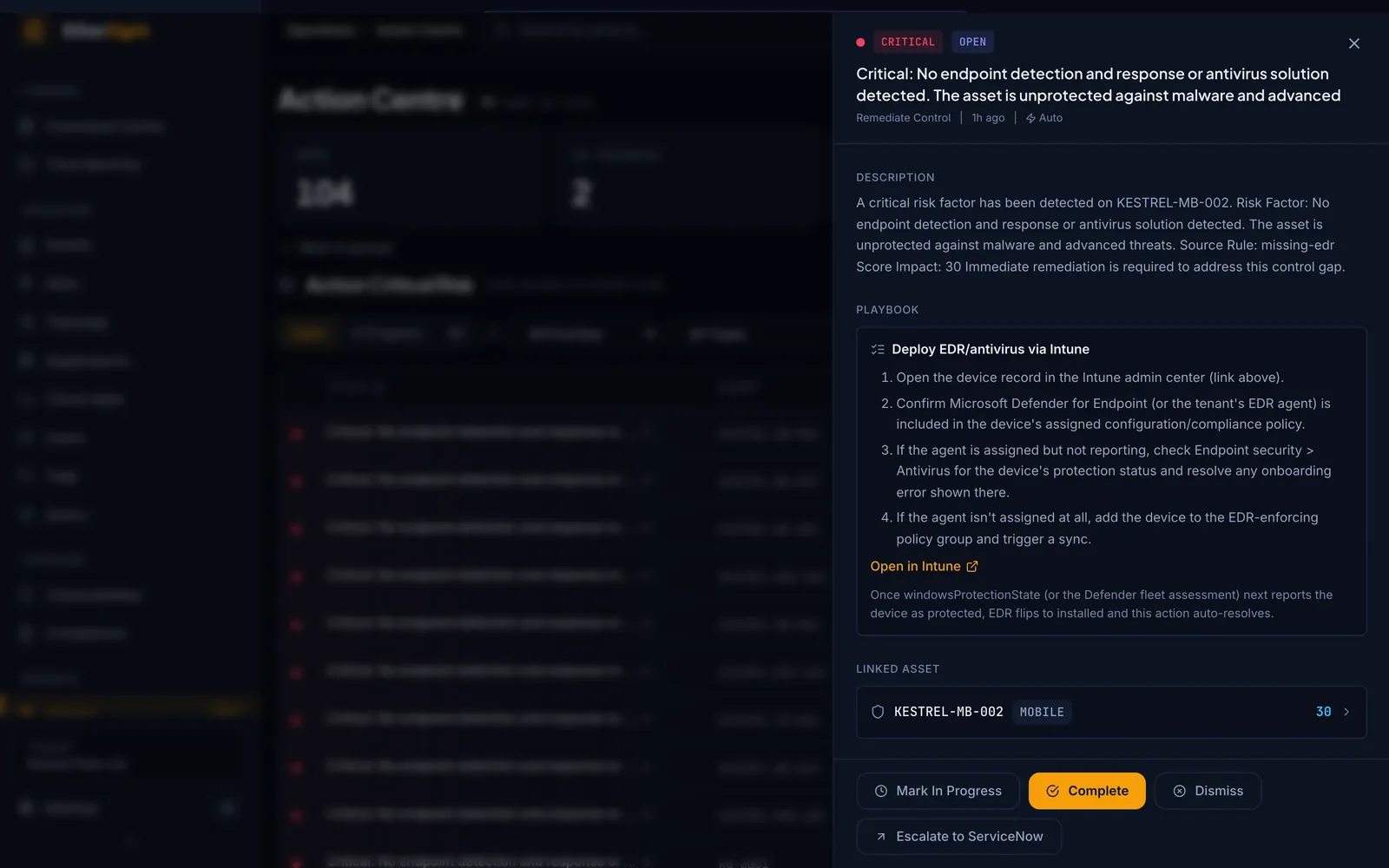
A single action: a critical missing-EDR finding on KESTREL-MB-002, with a four-step playbook, an Open in Intune link, and Complete, Dismiss and Escalate to ServiceNow buttons.
07exempt
Accepting a risk is a decision, not an oversight.
An exemption records the reason, who approved it, and when it expires — so the thing you accepted in March comes back to you in September instead of quietly becoming permanent.
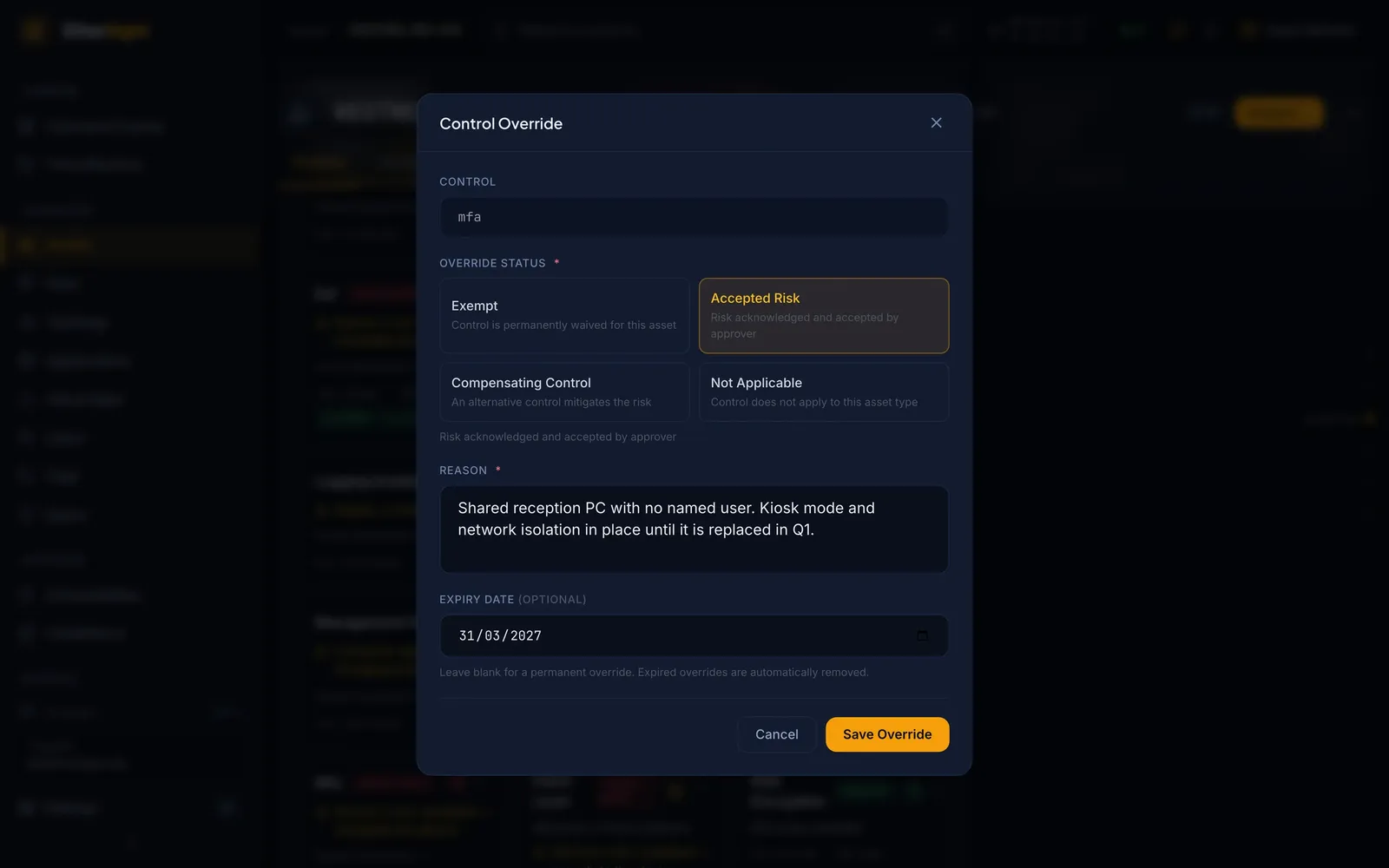
The control override dialog: the MFA control set to Accepted Risk, with a written reason, an expiry date of 31 March 2027 and a Save Override button.
08report
Then prove it to whoever asks.
Your controls map to eight frameworks — CIS Controls v8, NIST CSF 2.0, Cyber Essentials Plus, ASD Essential Eight, SOC 2, ISO 27001:2022, PCI DSS v4.0 and the NCSC Cyber Assessment Framework. Controls that cannot be evidenced from assets are shown as unmapped rather than faked green. Ten report types, from a one-page executive summary to a full inventory, generate as PDF, CSV or JSON and can arrive by email on a schedule.
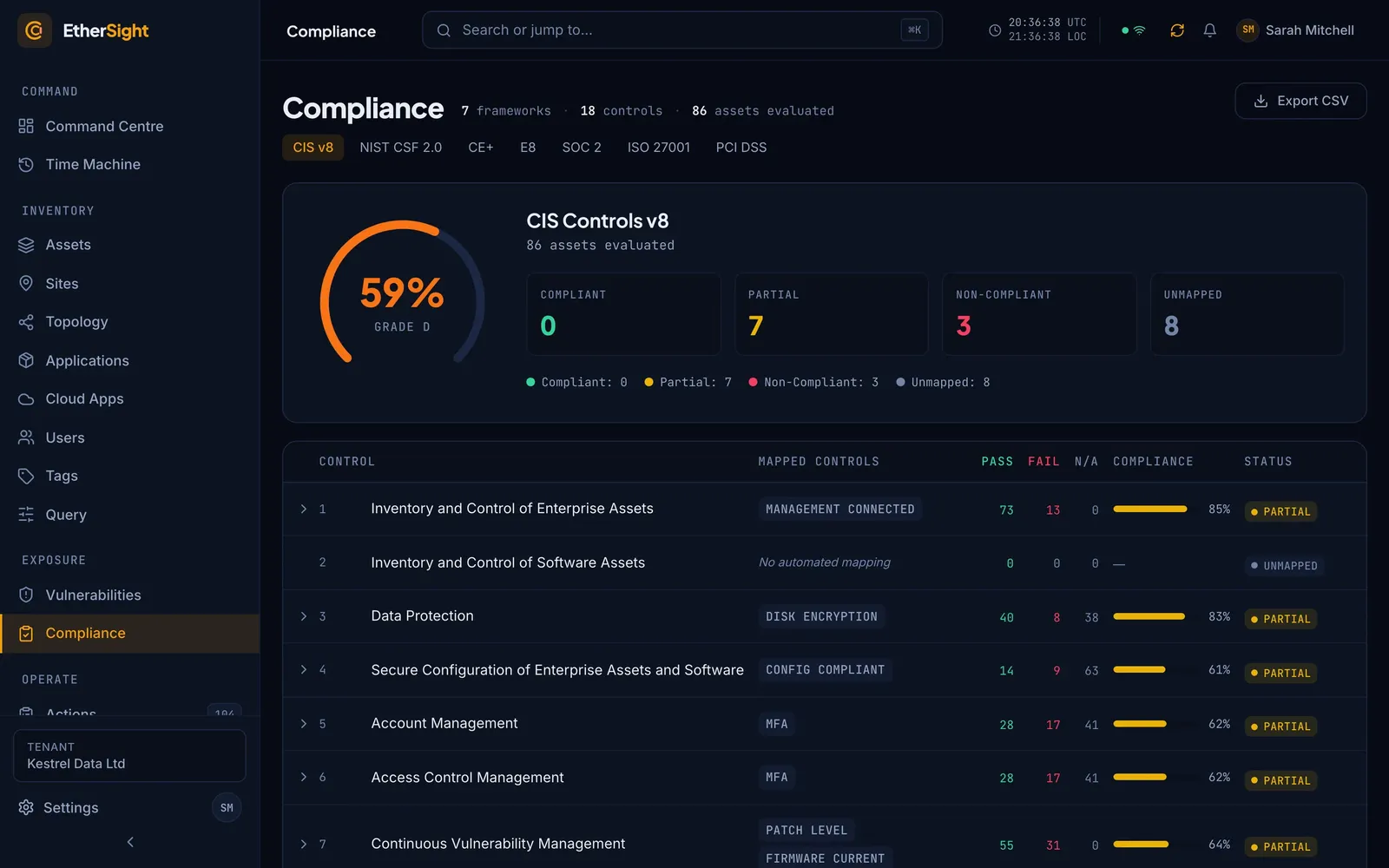
The compliance view for CIS Controls v8: 59 percent, grade D, with compliant, partial, non-compliant and unmapped counts and a per-control table beneath.